
Bake it in the pan you have, for the crowd you've got.
Proof Day turns Claude, ChatGPT, Gemini or Grok into a baking coach who does the math for you. Tell it the recipe, the pan and how many people, and get scaled amounts in grams, a timeline that ends when you want the bread out of the oven, and a straight answer when a cake sinks.
Get Proof Day Baking Coach for $5 Convert my pan
$5 once · card, Apple Pay or Google Pay · download in a minute
Into more than one hobby? Get all 70 hobby skills for $19, this one included.
- One-time $5
- Instant email delivery
- 14-day refund
- Works in Claude, ChatGPT, Gemini and Grok
Scaled plan: lemon layer cake into a 9 × 13 pan
Recipe for 2 × 8 in rounds · same 2 in depth · frosted in the pan
Grams and cupsSea levelFeeds 16 to 20
- PanMultiply everything by 1.162 × 8 in rounds = 100.5 sq in; 9 × 13 = 117 sq inScale
- Flour300 g becomes 349 gWeigh it: cups don't scale cleanlyWeigh
- Eggs3 large eggs become 175 g beaten eggBeat 4 eggs, weigh out 175 gWeigh
- Bake350°F, start checking at 30 minutesOne big pan bakes slower in the middle than two roundsWatch
- FrostAbout 2 cups buttercream for the topA 1/4 in layer over 117 sq inFinish
What a patient baking teacher keeps in their head
One skill, six jobs. Claude, ChatGPT, Gemini or Grok picks the right one from what you ask.
Pan swaps that work
Round, square, rectangle, sheet and loaf pans converted by area, with a multiplier for every ingredient and bake time advice.
Baker's percentages
Any bread formula in grams for any dough weight, with true hydration once the starter is counted.
Sourdough schedules
Work back from when you want bread out of the oven, adjusted for your kitchen temperature and starter.
Cakes for a crowd
Tier sizes for your guest count, batter for each pan and how much frosting to make.
Why it went wrong
Sunken middles, dense crumb, flat cookies, gummy bread: the likely cause and the one change to try first.
High altitude
Leavening, sugar, liquid and oven changes for cakes and quick breads above 3,000 ft.
Ask it like you'd ask a friend who bakes
It plans around your kitchen and your clock, and tells you what to watch for instead of a fixed time.
Start Friday morning (working back from 10 a.m.)
At 68°F with a 20% starter, bulk fermentation takes about 6 to 7 hours, and an overnight cold retard makes the timing easy. Assumes one loaf of about 72% hydration.
- Fri 8:00 a.m. Feed the starter 1:2:2. At 68°F it should peak around 2 p.m.
- Fri 2:00 p.m. Mix the dough. Do 3 or 4 sets of stretch and folds in the first 2 hours.
- Fri 2 to about 8:30 p.m. Bulk ferment until the dough has grown 50 to 75%, feels airy and has bubbles on the sides. Go by the dough, not the clock.
- Fri 8:30 p.m. Shape, put it in a floured banneton and refrigerate overnight.
- Sat 8:00 a.m. Heat the oven and Dutch oven to 475°F for 45 to 60 minutes.
- Sat 9:00 a.m. Bake straight from the fridge: 20 minutes lid on, 20 to 25 minutes lid off. Out by about 9:45.
If your kitchen runs cool
Under 68°F, bulk can stretch past 8 hours. Use warmer water (about 80°F) when you mix, or let the dough sit in the oven with just the light on.
Example answer from the full skill. Your answers depend on what you ask.
Honest about what works
Baking advice online is full of guesses. Proof Day shows the math and tells you what matters.
- Weight beats cupsA cup of flour can weigh 120 to 150 g. It gives grams first and cups as a backup.
- Dough over clockTimes are estimates. It tells you the signs to look for so you know when it's ready.
- Food safety firstCream cheese frostings, custards and raw flour get the right storage and handling notes.
- It says when it's guessingWithout your recipe or oven details, it states its assumptions and asks for the one detail that matters most.
Up and running in two minutes
No app to learn and nothing to install on your computer. It lives inside Claude, ChatGPT, Gemini or Grok.
Buy once
Pay $5 by card, Apple Pay or Google Pay. Your download link arrives by email in about a minute.
Add it to Claude, ChatGPT, Gemini or Grok
Upload the ZIP under Skills in Claude, or the unzipped folder in Gemini. It takes about 30 seconds. In Grok, upload the ZIP, or paste the included paste-in file into a new skill. In ChatGPT, add the included paste-in file to a Project.
Just ask
"Make this recipe fit my 10 inch pan." "Sourdough schedule for a 6 p.m. dinner." "Why did my cheesecake crack?"
Pick your app for the exact clicks
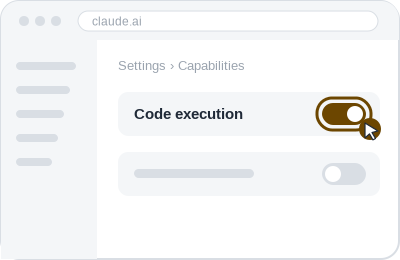
1In Settings, then Capabilities, turn on code execution.
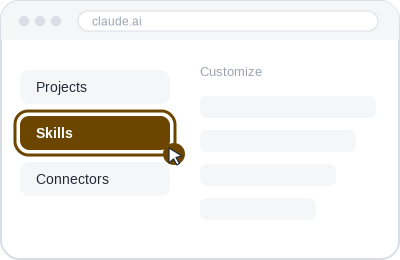
2Open Customize, then Skills.
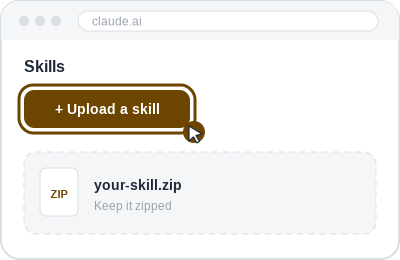
3Click +, choose Upload a skill, pick the ZIP. Keep it zipped.
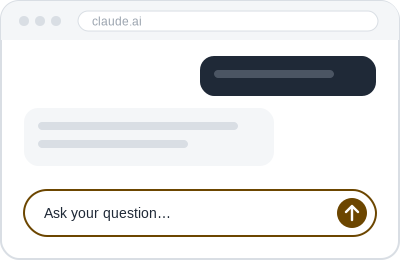
4Start a new chat and ask. Claude picks up the skill.
Works on every Claude plan, including the free one. Free plans have lower usage limits.
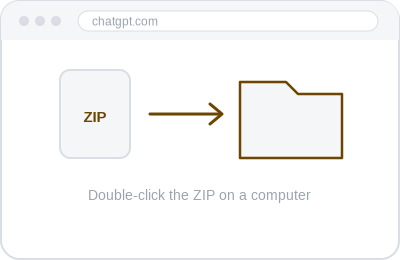
1On a computer, unzip the download and find ANY-AI-PASTE-VERSION.txt.
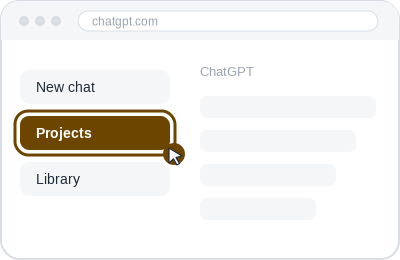
2In ChatGPT, open Projects and make a new project.
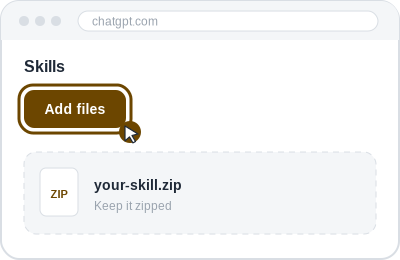
3Add the .txt file to the project. In its instructions, type: Follow the attached file.
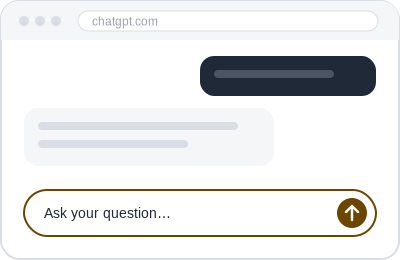
4Start a chat in that project and ask. On a Business, Enterprise or Edu plan, you can upload the ZIP under Skills instead.
Personal ChatGPT plans (Free, Plus, Pro) don't have a Skills page yet, so you use the paste-in version in a Project. On a Business, Enterprise or Edu plan, go to chatgpt.com/skills, choose Add, then Upload from your computer.
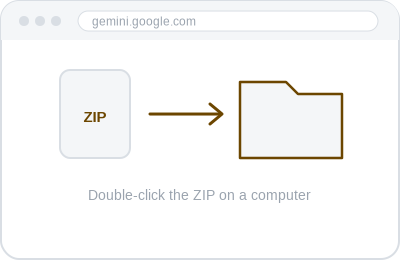
1On a computer, unzip the download. You get a folder.
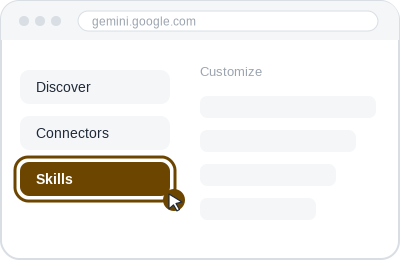
2At gemini.google.com, open Customize, then Skills.
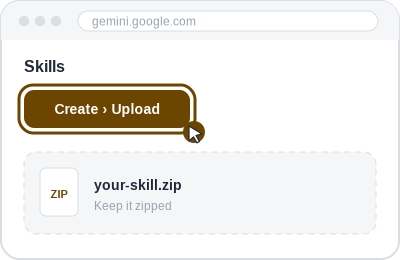
3Choose Create, then Upload, then folder. Pick the unzipped folder.
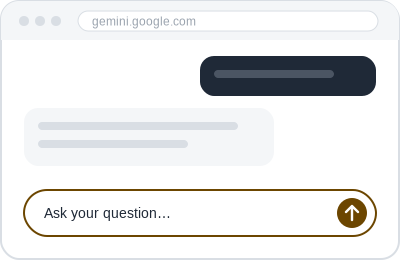
4Start a new chat and ask.
Gemini takes the unzipped folder, not the ZIP. Menus in Gemini change often, so names may differ slightly.
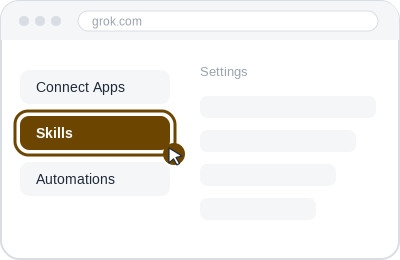
1At grok.com, open Settings, then Skills.
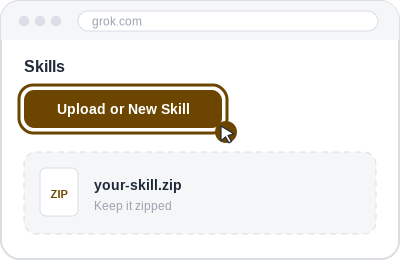
2If you see Upload, pick the ZIP. If you only see New Skill, use the next step.
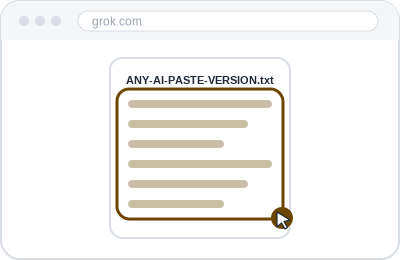
3New Skill: name it, then paste the text of ANY-AI-PASTE-VERSION.txt (below the line of equals signs) into Instructions.
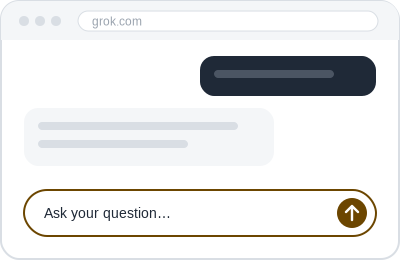
4Save it, start a new chat and ask.
Some Grok plans upload the ZIP; others show a New Skill form, where you paste the skill text in. Menus in Grok change often, so names may differ slightly.
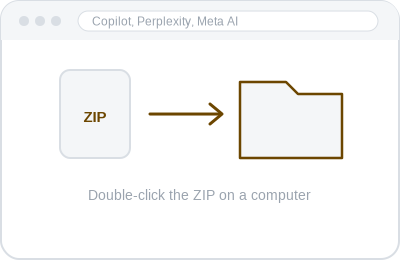
1No Skills page? Unzip the download on a computer.
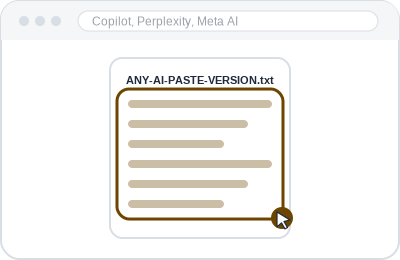
2Open ANY-AI-PASTE-VERSION.txt and copy everything.
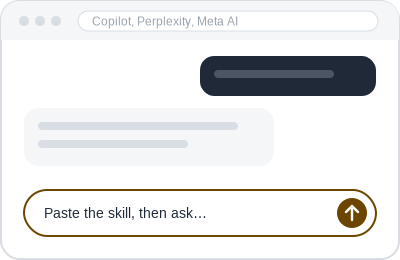
3Paste it into a new chat, then ask your question.
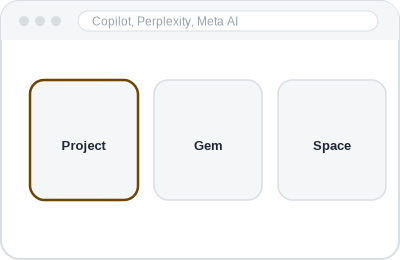
4To keep it on, add it to a ChatGPT Project, Gemini Gem or Perplexity Space.
Using Claude Code, Codex, Cursor or another coding agent? Unzip it into the skills folder, for example unzip proof-day-baking-coach.zip -d ~/.claude/skills/
On your phone? Go ahead and buy: the download link goes to your email and works for a year. Adding a skill is easiest from a computer, in a web browser or the desktop app, so open that email there when you're ready. Want to try it on your phone today? Open the ZIP, copy ANY-AI-PASTE-VERSION.txt into any chat app, and ask.
Start with the free Pan Swap
A small skill that converts any recipe to a different pan or batch size, with the multiplier, the scaled amounts and bake time tips.
- Round, square and rectangle pans by area
- Every ingredient scaled, grams first
- Bake time and fill level for the new pan
Get Proof Day Baking Coach
Pay once, use it whenever you need it. Includes the free Pan Swap too.
How to add it
Upload the ZIP under Skills in Claude, or the unzipped folder in Gemini (in Grok, upload the ZIP or paste the paste-in file into a new skill; in ChatGPT, add it to a Project), then start a new chat and try: "I have a cake recipe for two 9 inch rounds but I want to bake it in a 9 × 13 pan. Here's the recipe:"
See the clicks for your app. Every download also comes with a paste-in version for any other chat, and a Start Here PDF.
Step-by-step guides with pictures: Claude · ChatGPT · Gemini · Grok
Proof Day Baking Coach
Scale any recipe, plan the bake and fix what went wrong.
$5 one time
- Pan and batch conversions for any recipe
- Baker's percentages and true hydration
- Sourdough and yeast bread schedules
- Cake, tier and frosting planning
- Troubleshooting for cakes, cookies and bread
- High altitude adjustments
- Updates for a year
Card, Apple Pay or Google Pay through Stripe. Taxes calculated at checkout. 14-day refund.
Giving it as a gift? Buy it, forward the email, and print a gift card.
See a real answer from the full skill
You ask: I want sourdough out of the oven by 10 a.m. Saturday. My kitchen is about 68°F and my starter doubles in 6 hours. When do I start?
Start Friday morning (working back from 10 a.m.)
At 68°F with a 20% starter, bulk fermentation takes about 6 to 7 hours, and an overnight cold retard makes the timing easy. Assumes one loaf of about 72% hydration.
- Fri 8:00 a.m. Feed the starter 1:2:2. At 68°F it should peak around 2 p.m.
- Fri 2:00 p.m. Mix the dough. Do 3 or 4 sets of stretch and folds in the first 2 hours.
- Fri 2 to about 8:30 p.m. Bulk ferment until the dough has grown 50 to 75%, feels airy and has bubbles on the sides. Go by the dough, not the clock.
- Fri 8:30 p.m. Shape, put it in a floured banneton and refrigerate overnight.
- Sat 8:00 a.m. Heat the oven and Dutch oven to 475°F for 45 to 60 minutes.
- Sat 9:00 a.m. Bake straight from the fridge: 20 minutes lid on, 20 to 25 minutes lid off. Out by about 9:45.
If your kitchen runs cool
Under 68°F, bulk can stretch past 8 hours. Use warmer water (about 80°F) when you mix, or let the dough sit in the oven with just the light on.
Into more than one hobby? The Skill Pass gets you all 70 hobby skills, this one included, for $19.
New to AI skills?
Proof Day is a skill: a set of expert instructions you add to your own Claude, ChatGPT, Gemini or Grok account, so it answers like a baking teacher who knows the craft.
- Using Gemini? Unzip it and upload the folder on its Skills page. Using Grok? Under Settings, Skills, upload the ZIP or paste the paste-in file into a new skill. Using ChatGPT? Add the included paste-in file to a Project.
- New to all of them? Claude is an AI assistant made by Anthropic. Make an account at claude.ai: skills work on every Claude plan, including the free one, with code execution turned on in Settings, Capabilities.
- Try the free Pan Swap skill first. If you like it, the full skill is one purchase.
Not ready for an AI app? The free cake pan conversion calculator on this site works in any browser, no account needed.
Free baking tools
No sign-up, they run in your browser.
Made by Nic Hubert, What If Labs
I run What If Labs from British Columbia, Canada. I build each skill with AI help and test it on real questions, and a separate reviewer checks it before it goes on sale. If it doesn't do what this page says, email me at hello@whatiflabs.ai and I'll fix it or refund you.
No reviews yet: this store is new. Tell me how it went and I'll use it to make the skill better.
Questions
What kinds of baking does it cover?
Cakes and cupcakes, cookies and bars, yeast breads, sourdough, enriched doughs like brioche and cinnamon rolls, pies and tarts, quick breads and muffins, frostings and fillings. It helps with layer and tiered cakes for parties, and the baking side of decorating, like how much buttercream and fondant to make.
Can it convert my grandmother's recipe in cups to grams?
Yes. It uses standard weights for common ingredients and tells you which ones vary most, like flour and brown sugar, so you can weigh them once and note it for next time.
Does it work for gluten-free or vegan baking?
It can scale and plan gluten-free and vegan recipes and explain common swaps. Results with substitutes vary more than with the original recipe, so it suggests a test batch first. For a serious allergy it reminds you that cross-contact in a home kitchen is hard to rule out.
Will it tell me exactly how long to bake?
It gives a time range and the signs of doneness to check, like internal temperature for bread (about 200 to 210°F for lean loaves) and a skewer test for cakes. Ovens vary, so an oven thermometer helps more than any recipe.
What do I need to use it?
A Claude, ChatGPT, Gemini or Grok account. In Claude it works on any plan, including the free one, with code execution turned on (Settings, Capabilities). Free accounts have lower usage limits, so long planning sessions go further on a paid plan. It works in Claude on the web, the desktop app and Claude Code. In Gemini and Grok, upload it on the Skills page. In ChatGPT, personal plans (Free, Plus, Pro) don't have Skills yet, so you add the included paste-in file to a ChatGPT Project; Business, Enterprise and Edu plans can upload the ZIP under Skills. Coding agents that read SKILL.md files work too. Using Copilot, Perplexity, Meta AI or another chat with no Skills page? Every download includes a paste-in version (ANY-AI-PASTE-VERSION.txt) that works in any AI chat.
What if it doesn't work for me?
Email hello@whatiflabs.ai within 14 days of buying and we'll refund you in full. No forms, no questions.
How is this different from just asking an AI?
A general AI answer is often vague or skips steps. The skill gives your AI an expert's method: what to ask you first, the checklists and calculations to run, and the mistakes to warn you about. You get consistent, specific answers instead of a different guess each time.
Do I pay every month?
No. It's a one-time price, and updates to the skill are free.
Can I get a refund?
Yes. Every purchase comes with a 14-day refund, no questions asked. Reply to your receipt email and we'll take care of it.
What if it gets something wrong?
It shows its working, so you can check numbers and dates. Tell it what's off and it will correct itself. For anything where a mistake costs money or safety, double-check before you act, as you would with any advice.
Is my information private?
The skill runs inside your own Claude, ChatGPT, Gemini or Grok account, and we never see your chats. When you buy, Stripe handles the payment and we keep your email and order so we can send the download. The terms and privacy page has the details.